AZG Engineering

Home › Sample work

Sample work

Three demo builds, each made with made-up sample data, to show the kind of work we do. They aren't client projects.

Excel work tracker dashboard

Demo built with made-up sample data
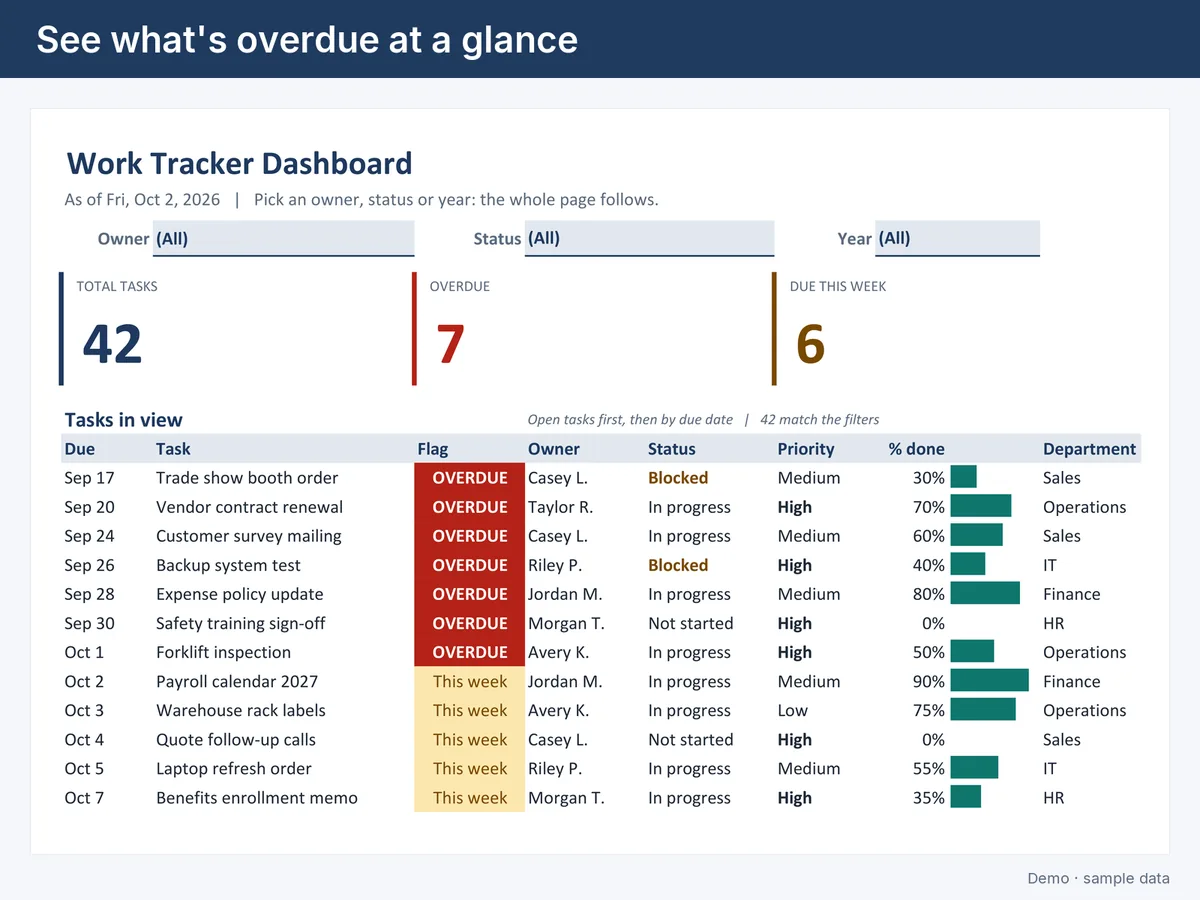
Dashboard with total, overdue and due-this-week tiles and a flagged task list
The dashboard: headline numbers and flagged tasks
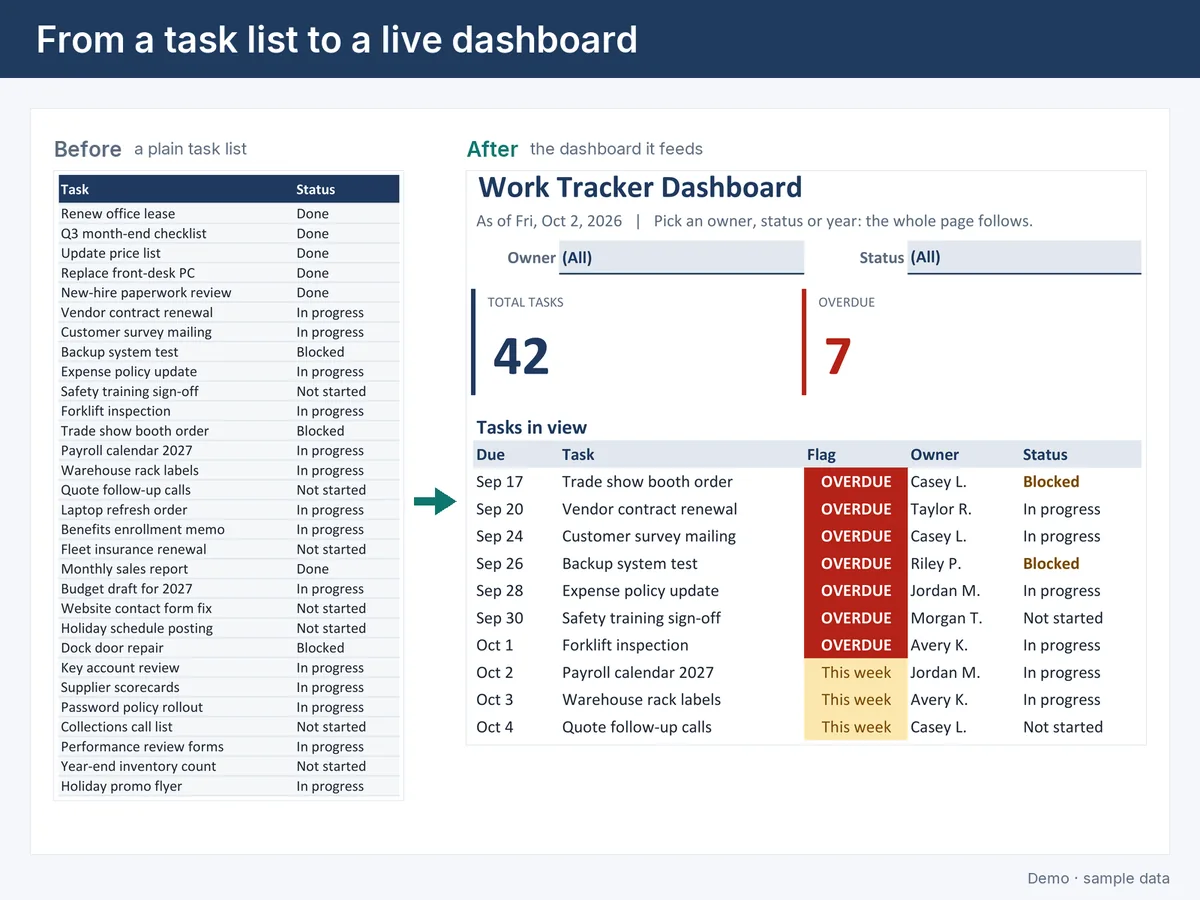
Before and after: a plain task list turned into a dashboard
Before and after: a plain list becomes a dashboard
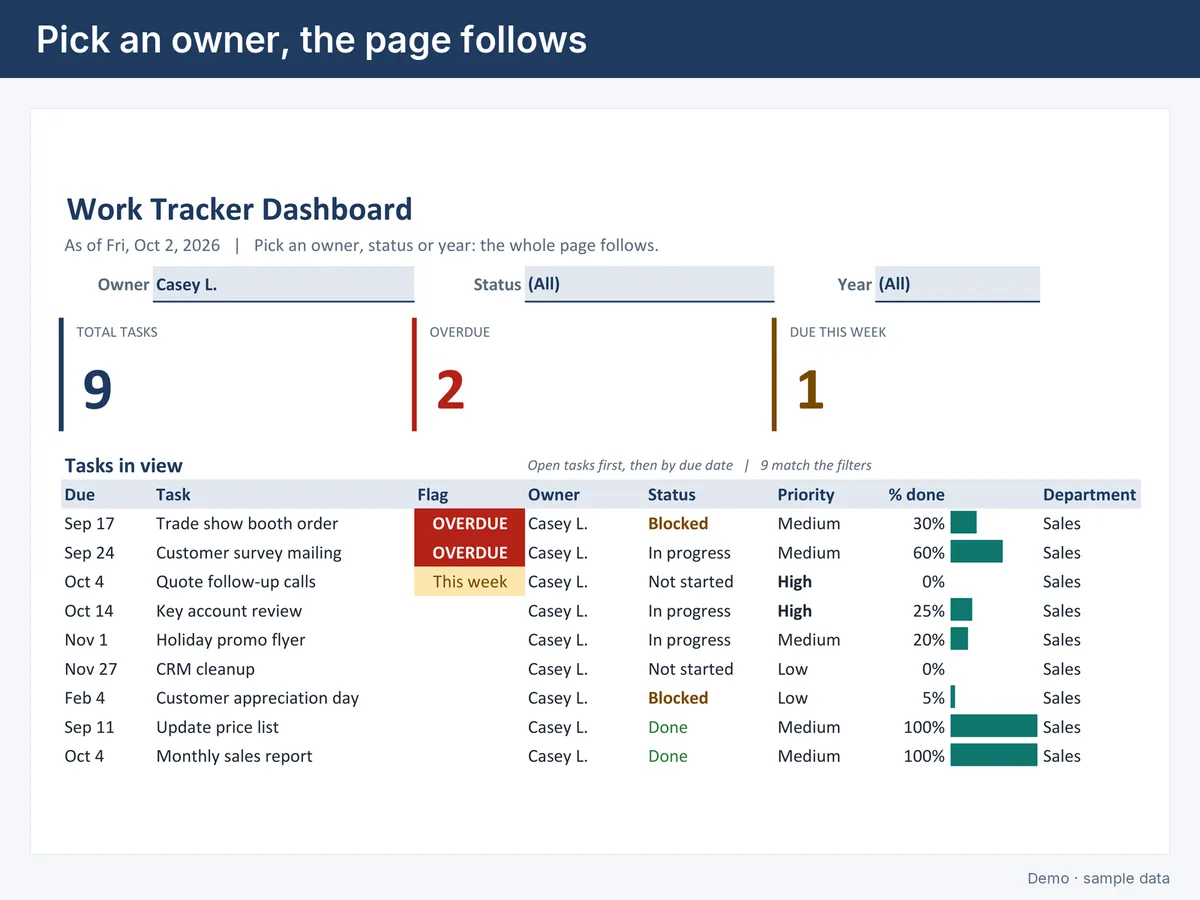
The same dashboard filtered to one owner
Pick an owner and the whole page follows

A team tracks tasks in a spreadsheet but can't see at a glance what is late or due this week. This Excel workbook turns one task table into a dashboard: headline totals, a this-week box, the next due dates, progress by owner, and overdue tasks flagged in red. Pick an owner, status or year and the whole page follows. New rows are picked up with no formula edits, and there are no macros. Works in Excel 2010 and later, including Microsoft 365.
Excel dashboards and trackers →

Google Form to Sheet with email alerts

Demo built with made-up sample data
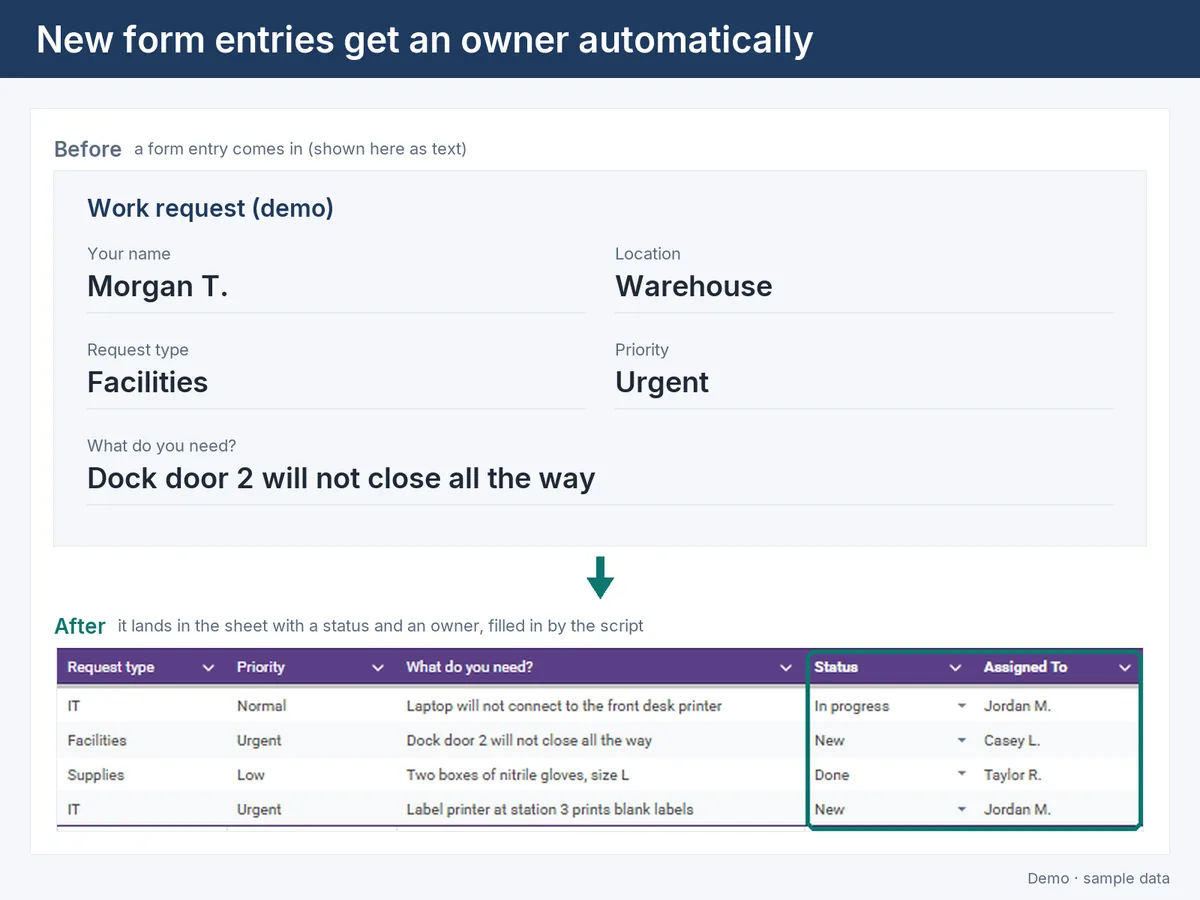
A form entry arriving in the sheet with status and owner filled in
A form entry gets a status and an owner
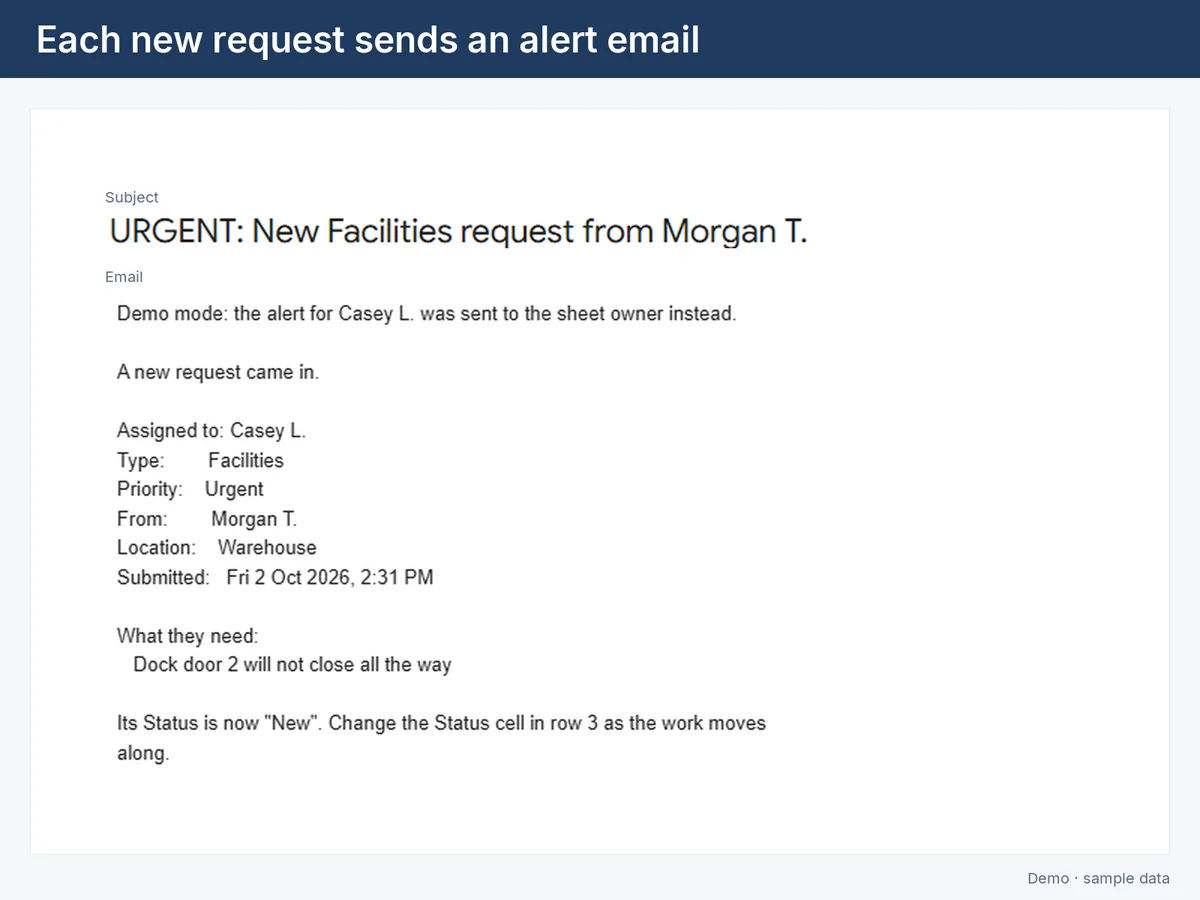
The alert email sent for a new urgent request
The alert email for a new request
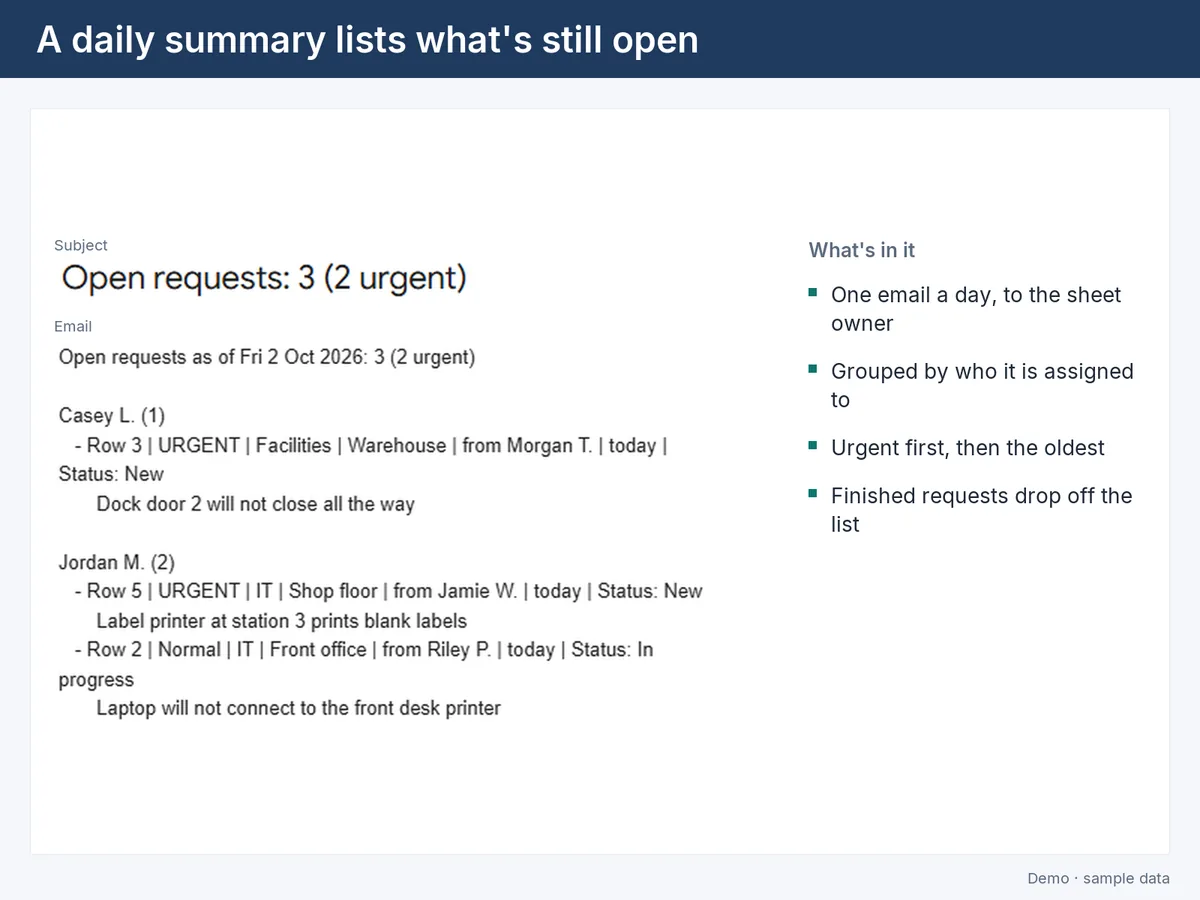
The daily summary email listing open requests by owner
The daily summary of what's still open

Requests arrive through a Google Form, and someone has to read each one, decide who handles it and chase what's still open. This Google Apps Script does that inside the response sheet: each new entry gets a status and an owner from a routing table, an alert email goes out, every status change is logged, and a daily email lists what's still open, urgent first. Built with made-up entries, tested offline, then run live in Google Sheets.

Google Forms and Sheets automation →

Invoice PDF to spreadsheet extractor

Demo built with made-up sample data
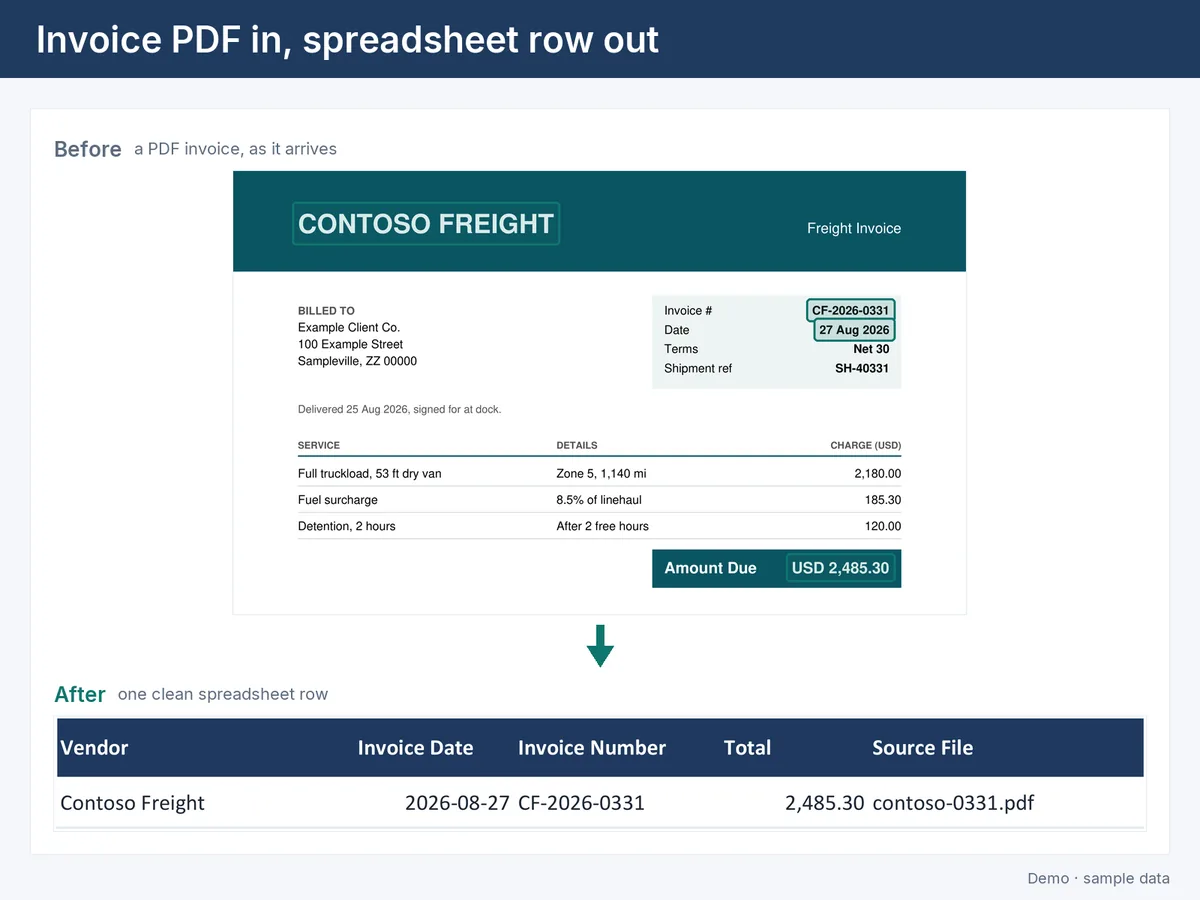
A sample invoice PDF and the spreadsheet row extracted from it
One invoice in, one clean row out
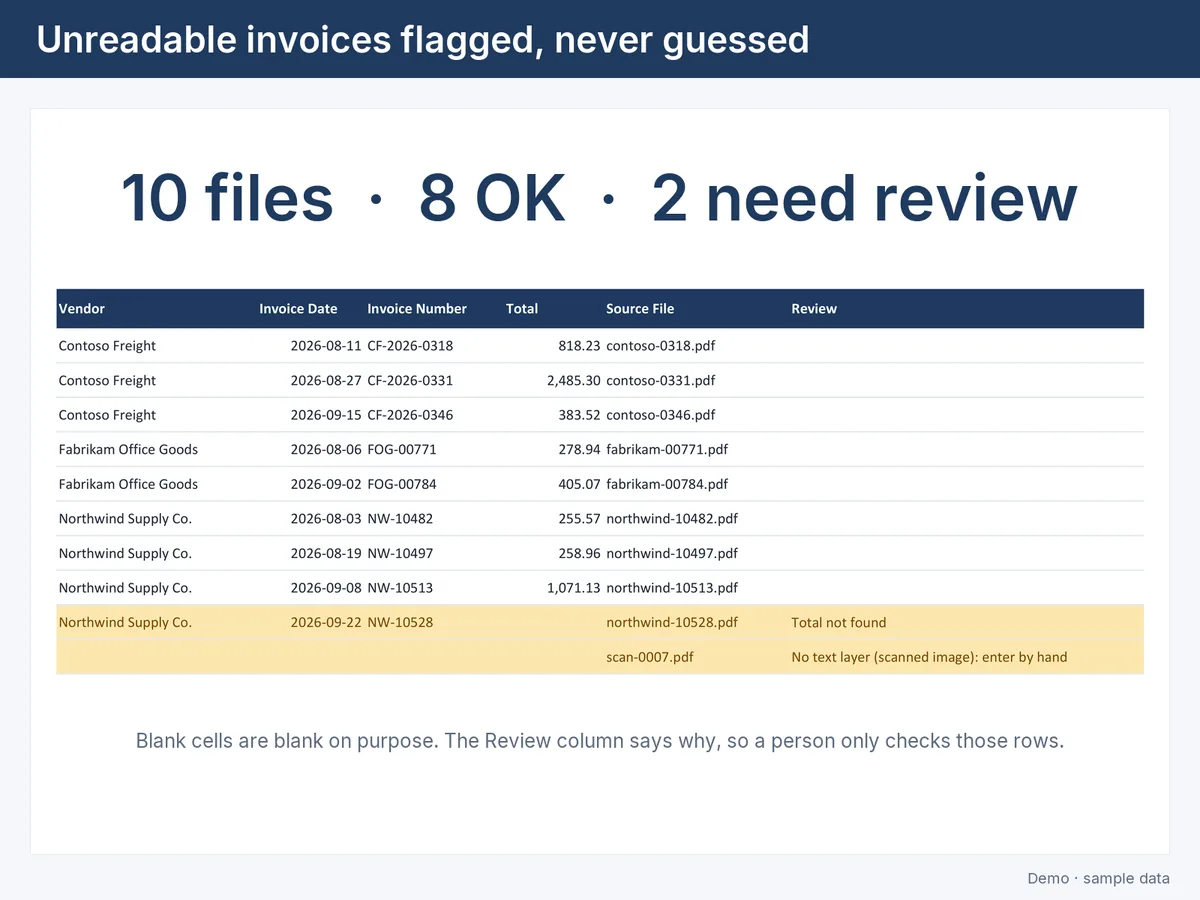
The output sheet with two rows flagged for review
Unreadable invoices are flagged, never guessed
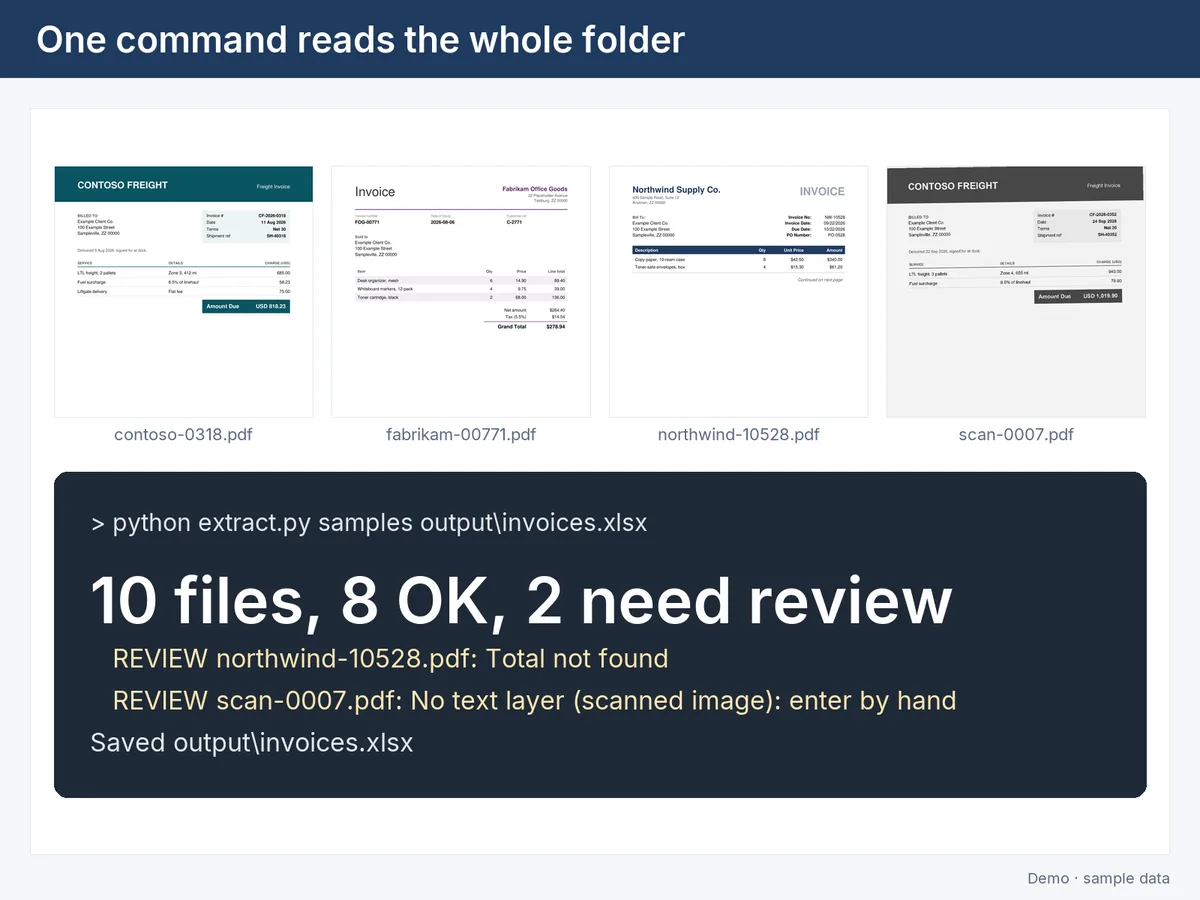
Sample invoices and the one-line run summary
One command reads the whole folder

Invoices arrive as PDFs and someone retypes them into a spreadsheet. This tool reads every PDF in a folder and writes one row per invoice: vendor, date, invoice number and total. If a field can't be read with certainty, it is left blank and the row is flagged for review; it never guesses. In the demo, 10 made-up invoices go in with one command: 8 filled, 2 flagged.

Documents to spreadsheet →

Get in touch

What does your team do by hand every week?

Send a few lines about your business and the task that takes the most time. We'll reply by email.

[email protected]

Write in Gmail

Or open your mail app.